Back to The Lab

Why Ecommerce Sites Fail INP (and How to Fix It Without Replatforming)

Photo of Bearjam
Bearjam
Guest Post

Since Google’s Core Web Vitals update in March 2024, when FID was replaced with INP, ecommerce sites have continued to struggle with passing the new responsiveness metric in 2025.

Filter-heavy product listing pages (PLPs), mega-menus, SPAs and JS-rich front-ends… all are suddenly under the microscope. But fear not: you can improve INP without ripping out your stack and rebuilding from scratch.

What is INP and Why It Hurts Ecommerce More

Let’s get the basics straight:

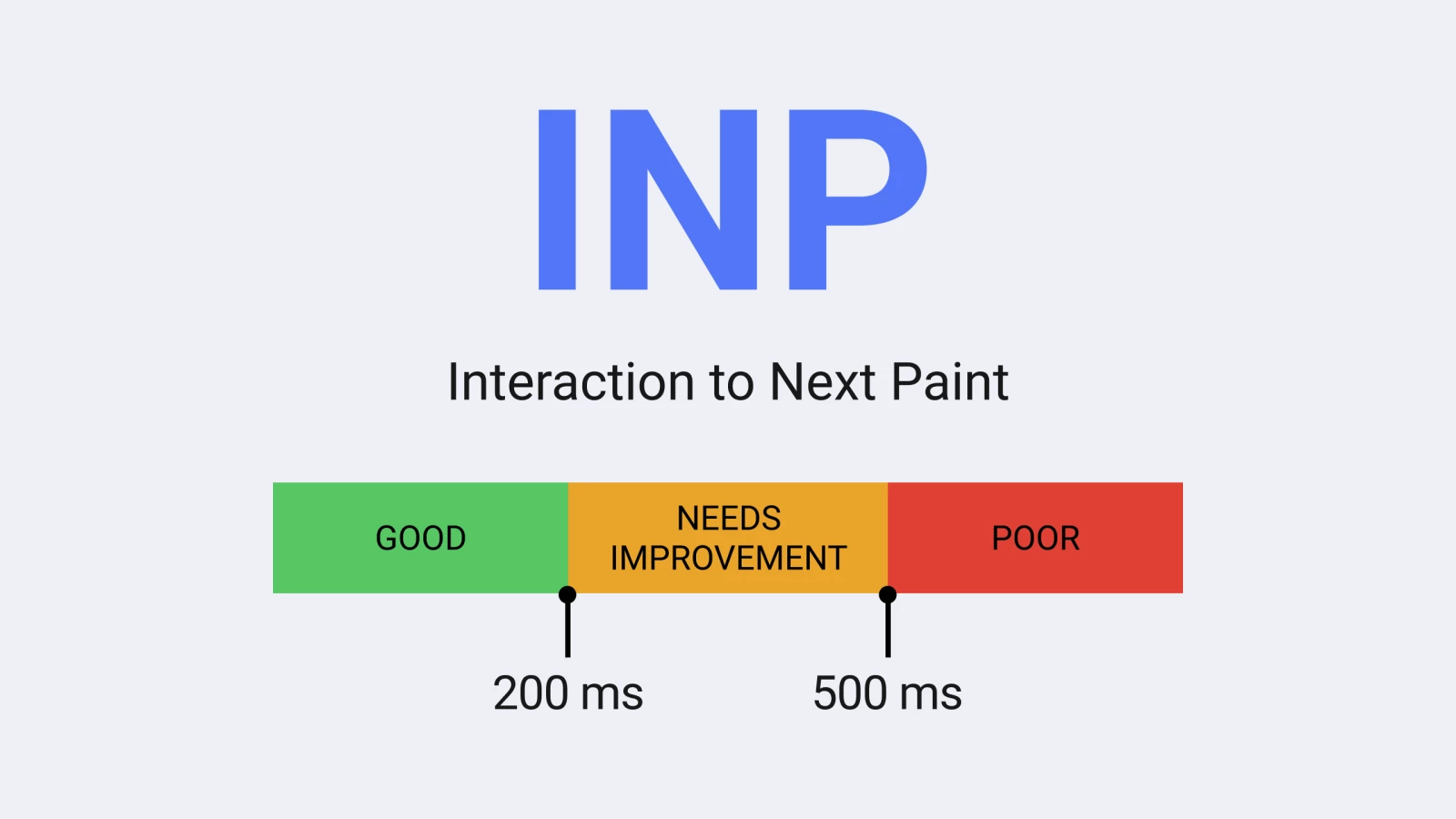
INP measures the time between a user’s click, tap, or key press and the moment the browser visually responds with the next paint. Unlike FID, which only measured the delay before the first input handler ran, INP looks at all qualifying interactions across a session and reports the worst (or near-worst) latency.

Good: ≤ 200ms; Needs Improvement: 200–500ms; Poor: > 500ms.

Google evaluates this at the 75th percentile of page loads in field data, so the majority of your users need fast, responsive interactions to pass.

Google officially replaced FID with INP in March 2024.

Why ecommerce sites often fail INP more severely:

✓ Filter-heavy PLPs: multiple dynamic filters, checkboxes, sliders, real-time product reloading, AJAX calls. Many interactions = many possible points of delay.

✓ Mega-menus and complex navigation: large DOM structures, scripts that run on hover or expand, blocking the main thread.

✓ JavaScript apps / single-page architectures: third-party widgets, delayed scripts, long running tasks.

✓ Third-party scripts (analytics, live chat, recommendation widgets): unpredictable delays.

On mobile, where CPUs are slower, the pain is even worse. And any lag at the point of interaction is a direct hit to conversions.

Common Misunderstandings

Before you tear your site apart, clear up these misconceptions:

“Replatforming will solve everything.” Not true. Most issues live in JS/CSS/DOM usage, not the platform. Shopify or WooCommerce stores can achieve good INP with tweaks.

“It’s just about reducing file sizes.” That helps, but INP is about responsiveness after a user acts. A site can load quickly yet still feel sluggish when filters or menus lag.

“Desktop is what matters.” Wrong. Mobile is where the majority of INP failures happen, and where most users shop.

How to Fix INP Without Replatforming

Here are common pain points and practical fixes you can implement today:

Problem Area

What Causes Poor INP

Fixes & Tactics

Heavy, blocking JS / large main-thread tasks

Long tasks >50ms block interaction → paint cycle.

- Break up long tasks. - Use scheduling (requestIdleCallback, setTimeout). - Lazy-load non-essential code. - Prioritise input-ready code for filters and menus.

Filter interactions on PLPs

Each toggle reloads large DOM chunks, triggers reflows, or heavy JS.

- Debounce / throttle. - Re-render only what’s needed. - Use skeleton loading or placeholders. - Provide immediate visual feedback (spinner, state change).

Mega menus / navigation

Large submenus, animation, delayed event binding.

- Keep DOM lightweight. - Lazy-load submenu content. - Use CSS transforms over JS-heavy transitions. - Preload essential menu scripts.

Third-party widgets & tracking

External scripts hog main thread.

- Audit and cut unnecessary scripts. - Use async / defer. - Delay chat/recommendation widgets until scroll or interaction. - Host lighter alternatives where possible.

Large DOM / Too many event listeners

Big trees slow rendering; many listeners increase overhead.

- Simplify DOM. - Use event delegation. - Clean up listeners on hidden content.

Lack of feedback on interaction

Clicks feel dead if UI doesn’t change instantly.

- Provide immediate UI response. - Add spinners, pressed states, or loading animations. - Even quick feedback improves perceived performance.

Testing and Prioritisation

  • Collect field data

    Use Google Search Console, CrUX, or RUM tools to pinpoint which pages fail INP.

  • Prioritise high-value pages

    Use Lighthouse or DevTools Performance tab to simulate filter clicks, menu opens, and form submissions.

  • Prioritise high-value pages

    Start with PLPs, PDPs, and checkout. Small fixes here drive the biggest business gains.

  • Measure before and after

    Track INP alongside conversion metrics like bounce rate and cart abandonment.

  • Iterate

    Fix one bottleneck at a time, monitor, and roll out.

Real-Life Example: Trendyol

A great example of improving INP without rebuilding comes from Trendyol, one of Turkey’s largest ecommerce platforms with over 30 million customers and 240,000 sellers.

Trendyol’s product listing pages were suffering from poor mobile INP — around 963 ms, well into the “Poor” range. The culprit wasn’t their platform or page weight, but a React component tied to search results. 

This component was running inside an IntersectionObserver callback and triggering a long task (700–900 ms) that blocked the browser’s main thread and delayed visual feedback after interactions.

Rather than overhauling their architecture, Trendyol addressed the issue by splitting the long task into smaller chunks using scheduler.yield() (with a fallback to setTimeout). 

This allowed the browser to regain control between chunks, respond to user inputs faster, and render updates without waiting for the entire task to complete.

Results:

  • ~50% reduction in INP, with mobile values dropping from around 1,400 ms to 650 ms over six months.

  • 1% uplift in click-through rate from PLPs to product detail pages during A/B testing.

For a site at Trendyol’s scale, that uplift is a significant commercial win — and it was achieved entirely through targeted JavaScript optimisations, not replatforming.

When Replatforming Is Actually Worth Considering

Sometimes a theme or platform is so bloated that optimisation is painful. Only then should replatforming be on the table – and even then, test optimisations first. Most ecommerce sites can achieve “Good” INP without the nuclear option.

INP is a reality check for how responsive your site feels to users. Ecommerce sites tend to struggle more because of filters, menus, and interactive complexity – but that doesn’t mean you need a new platform. Audit scripts, fix filter logic, simplify menus, and provide instant feedback.

Do those things, and INP stops being a conversion killer.